
 Case Study • In-house product
A task manager that sees what Task Manager can't
How we built Resource Watchtower - a native Windows monitoring app with GPU analytics, LLM Mode detection and CSV history logging, shipped through the Microsoft Store.
- In-house product
- .NET 10 • WPF
- GPU & LLM Mode
- Microsoft Store
0
Live monitors - CPU to GPU to processes
0
Languages, cycled on the fly
0
Minor releases since launch
0%
Local & private - no cloud, no telemetry
Built in-house, because the tool we wanted didn't exist
Every developer knows the moment: the fan spins up, the frame rate drops, and Task Manager gives you a snapshot that vanishes the moment you look away. We wanted more - GPU visibility, history we could scroll through and export, and charts we could pop out onto a second screen.
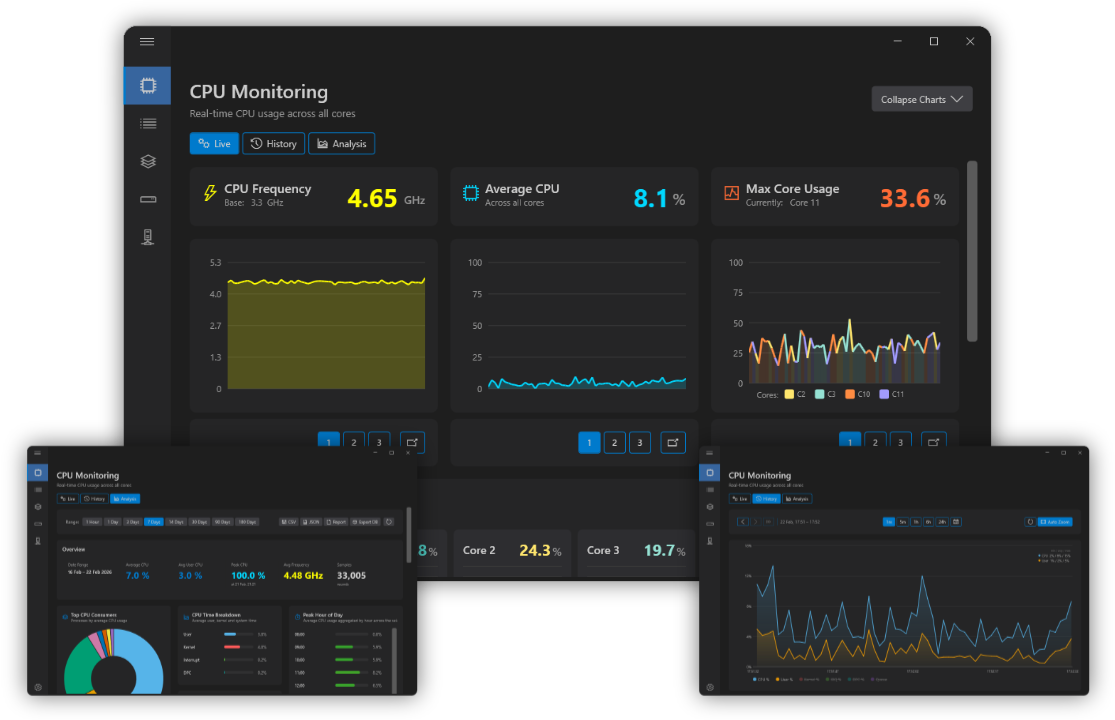
So we built it. Resource Watchtower is a native WPF application on .NET 10, engineered to be lightweight enough to live permanently in the system tray while continuously sampling CPU, GPU, memory, disk, network and processes in the background.
The result is a monitoring tool that's genuinely useful day to day - and an ongoing product line we keep shipping updates to, with release notes for every version.
Quiet in the tray. Loud on the charts.
-
monitoring
Six live monitors
CPU per-core, GPU, memory, disk, network and processes - updated in real time.
-
open_in_new
Pop-out anything
Detach charts into always-on-top windows with remembered position and size.
-
bar_chart
History that exports
Log resources over time - hours, days, weeks - and export to CSV.
A small app with a serious engine
Background sampling, live charts, and a tray-first shell - here's the engineering under the hood.
Native WPF on .NET 10
A modern, fluent Windows UI with themes - small, fast and free of web-runtime overhead.
GPU analytics & LLM Mode
Usage, VRAM thresholds, per-engine breakdowns - plus detection of local AI tools (Ollama, LM Studio, Unsloth) on the GPU.
Pop-out windows
Detachable charts with live mini-charts, always-on-top, sortable process lists and persistent window state.
History & CSV logging
Continuous background collection - hour, day, week or longer - with one-click CSV export for analysis.
Tray-first integration
Start with Windows, quick actions and notifications from the tray - the app watches quietly until you need it.
Localisation service
Five languages - English (UK), Welsh, English (US), French, German - cycled on the fly with a single keypress.
Shipped, updated and still evolving
Resource Watchtower is live on the Microsoft Store and developed in the open - with a public changelog tracking every release. From GPU dashboards to multi-desktop window snaps, the product has grown with the people who use it.
It's a demonstration of the hayman.dev approach: build it properly the first time, then keep shipping improvements - in this case, straight to the Windows Store.
Resource Watchtower
Version 1.13.1
Current release - GPU dashboard, LLM Mode, TidyWinSnap and more.
Microsoft Store
Installed via the Windows Store - automatic updates included.
Changelog-driven
Every release documented - no mystery updates.
Want a tool like this for your team?
From native Windows apps to full SaaS platforms, we engineer software that ships, survives scrutiny and keeps getting better.
No hard sell • A real engineer on the first call